Google Docs is a great tool store and edit documents online. MS-Office is a pretty good tool as well. Wouldn’t it be nice if you could open documents stored at Google Doc using MS-Office. Of course MS-Office has something similar, MS Office Live, but that’s still beta and I’m more used to Google Docs. However, since recently, Google Docs integration is possible, using OffiSync!
OfficeSync is a plugin for MS-Office. After installation, you’ll get an extra menu.
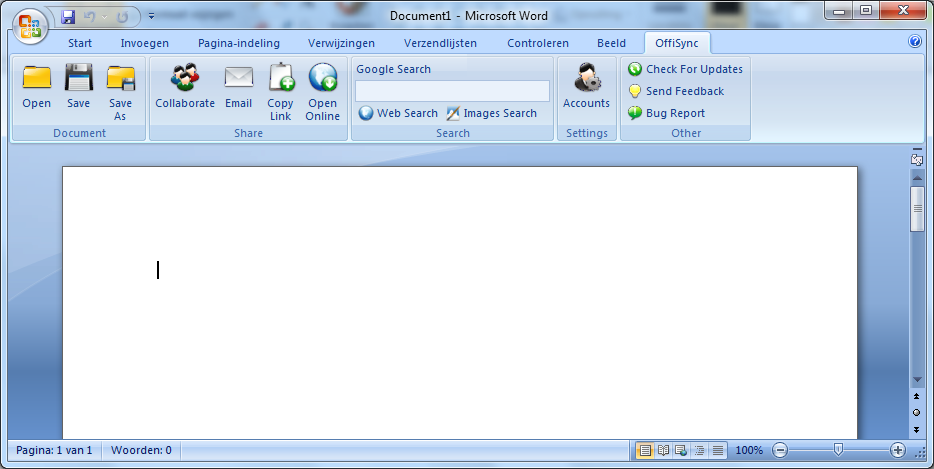
Using the menu, you can open and save documents at Google Docs, in a similar fashion when you’d use MS Office Live or Sharepoint. OffiSync is free to use, but when you use the free tool, any MS Office feature that isn’t supported by Google doc is lost when you save you’re files at Google Docs. The paid version doesn’t have this disadvantage.